
How to use GrapheneOS: the basics
What GrapheneOS is, why people use it, and how to move around the phone once it is installed.
This guide is for people who already have a phone running GrapheneOS, or who are thinking about it. No computer skills are needed.
What is GrapheneOS?
GrapheneOS is a version of Android, the system that runs most phones. It is made for privacy and security. These are the main differences:
- No Google apps are built in. Normal Android phones send a lot of information to Google. GrapheneOS does not.
- It is much harder to hack. It uses extra protections built into Google Pixel phones.
- Your files are locked when the phone is off. Nobody can read them without your password.
It only works on Google Pixel phones. If you still need to install it, follow our install guide.
The most important habit: a phone tracks where you go
Every phone that uses the mobile network (4G or 5G) tells the phone company which cell towers it is near. That creates a record of where you have been, even if you never turn on GPS.
There are two ways to reduce this:
- Leave the phone at home. Use it like a home telephone, on Wi-Fi only.
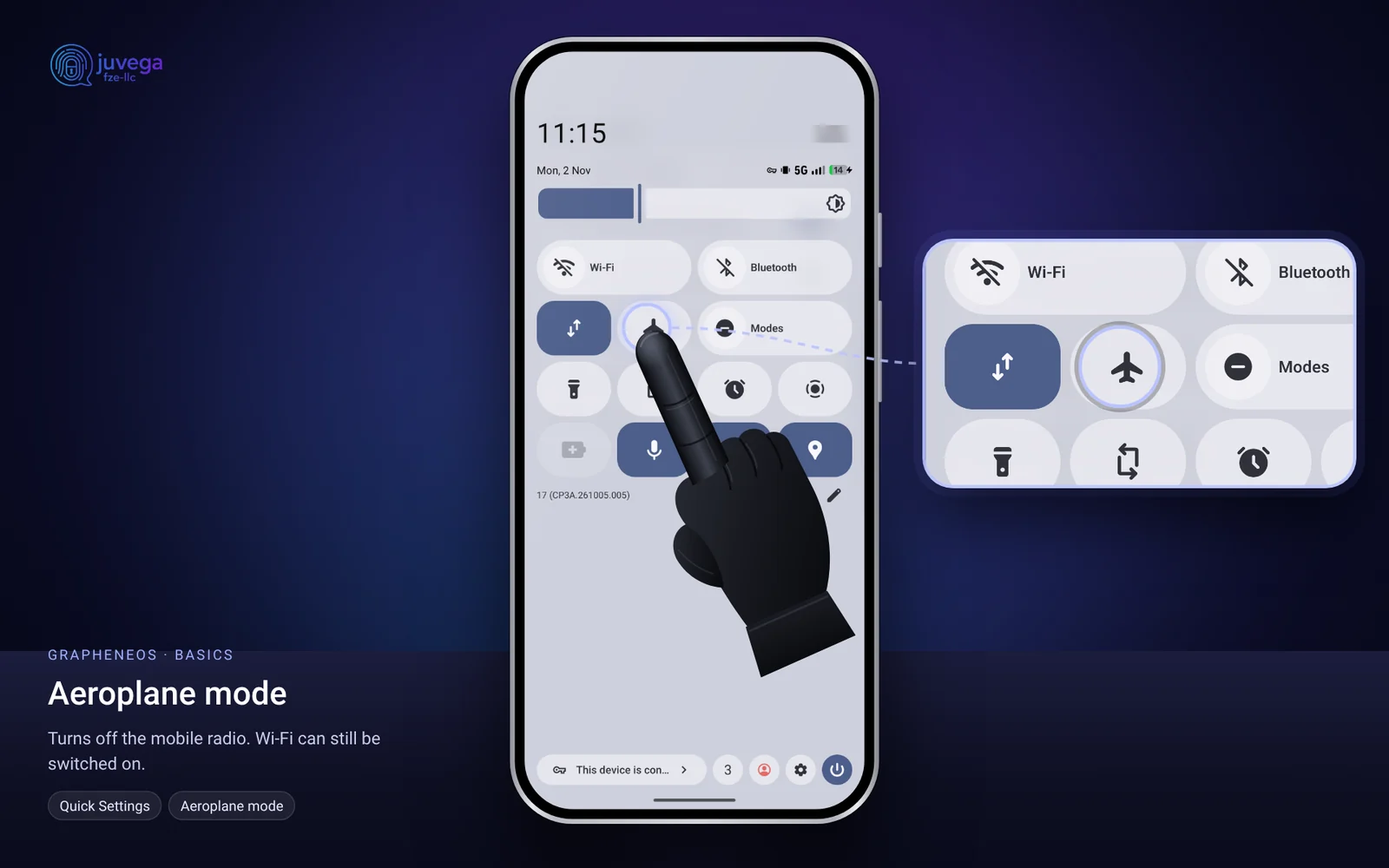
- Keep Airplane mode on. This switches off the mobile radio, even if there is no SIM card in the phone. You can still turn Wi-Fi on while in Airplane mode.
How to move around the phone
GrapheneOS uses swipe gestures by default. Here is what each one does:
- Go Home: swipe up from the very bottom edge of the screen, then let go.
- See open apps: swipe up from the bottom and hold your finger for a moment before letting go. Swipe left or right to pick an app.
- Go Back: inside an app, swipe in from the left or right edge of the screen.
- See all your apps: swipe up from just above the bottom edge.
Tip: if the gestures feel hard, practise for five minutes. Everyone finds it odd for the first day or two.
Good daily habits
- Turn the phone off completely at night, and when you leave it at home. When it is off, the data is at its most protected.
- Use a long password, not a short PIN.
- Do not turn on fingerprint unlock if you are worried about someone forcing you to unlock the phone.
- Only turn on Bluetooth, location, camera and microphone when you need them.
Why not a Linux phone?
You may hear about phones that run a Linux system, such as the PinePhone Pro. They sound private, but they are much easier to hack. They lack important protections that GrapheneOS has, like checking that the system has not been tampered with, strong separation between apps, and hardware-based encryption. For most people, GrapheneOS on a Pixel is the safer choice.
What to read next
- How to use profiles to keep different parts of your phone life separate.
- How to install apps safely.
- How to harden your settings.
This guide is based on the public AnarSec guide "GrapheneOS for Anarchists" (anarsec.guide), rewritten in plain language. Their guide is written for people at high risk, so some advice is stricter than most people need. Use what fits your situation.
Comments
Loading comments…