
How to harden your GrapheneOS settings
A checklist of the settings that make your phone harder to attack, for the Owner profile and for every profile.
This is a checklist. Do a few items each day. Each one makes the phone harder to attack.
In the Owner profile
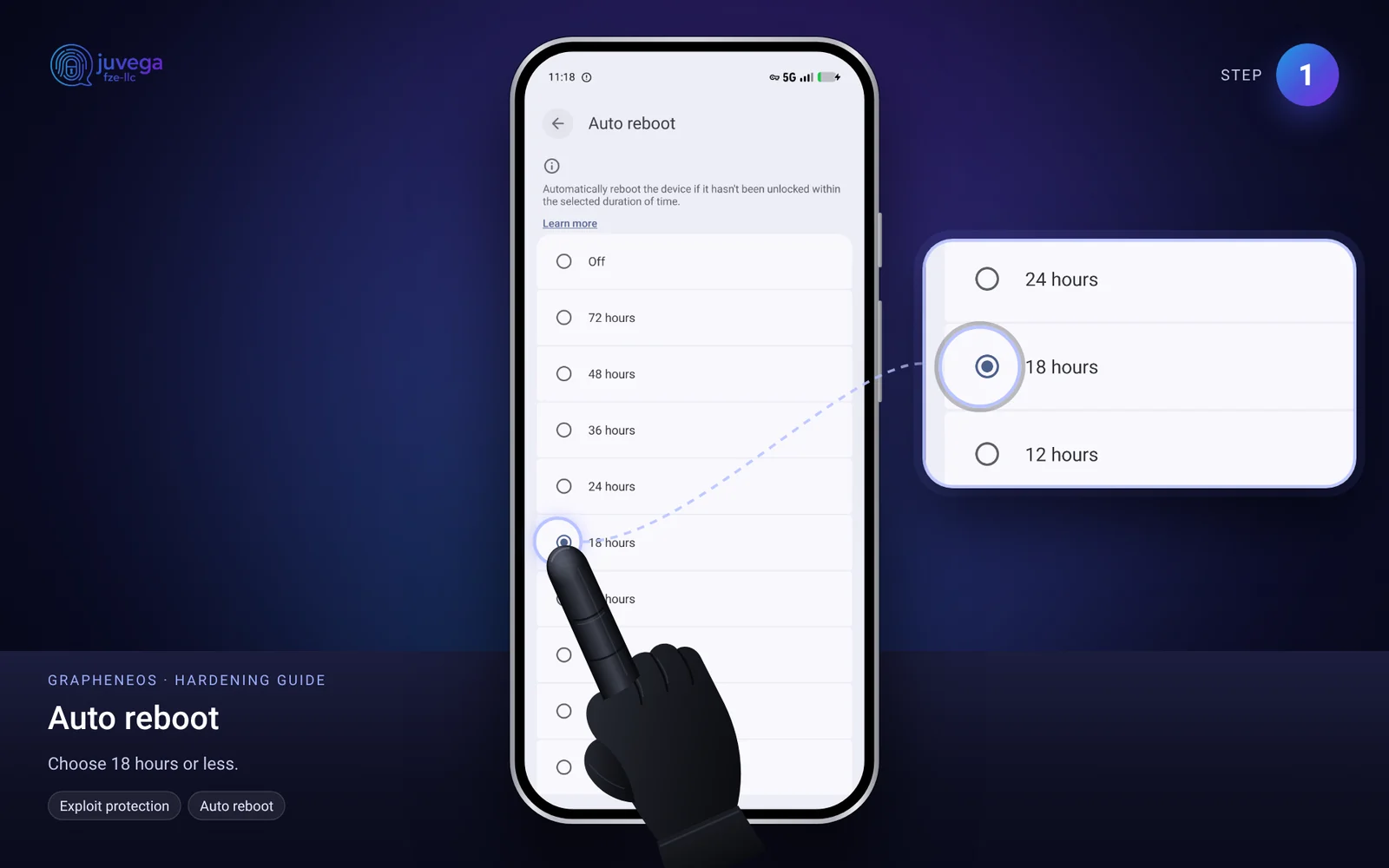
- Automatic restart. Open Settings > Security and privacy > Exploit protection > Auto reboot and choose 18 hours or less. The phone restarts if it has not been unlocked for that long, which locks the data again.
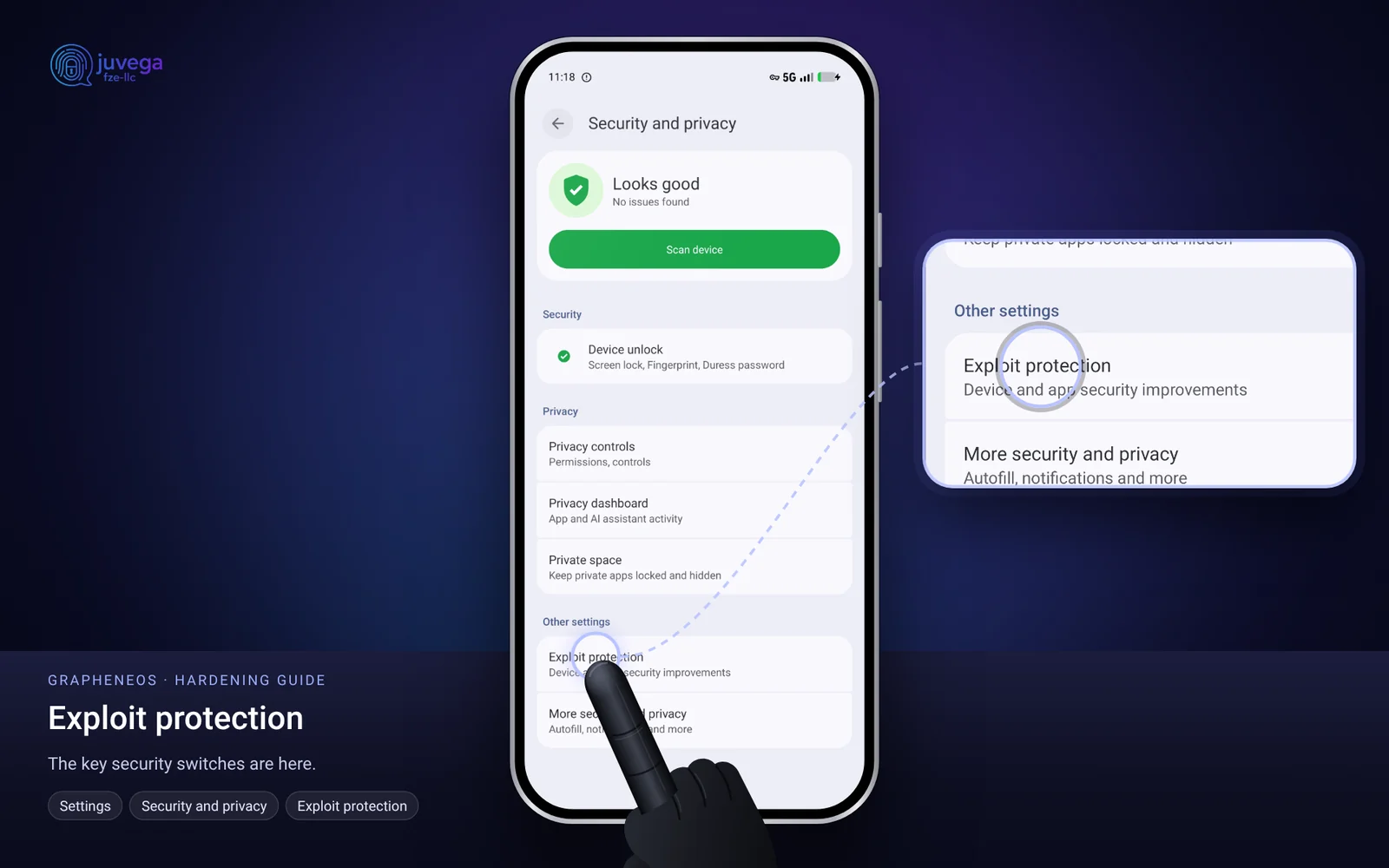
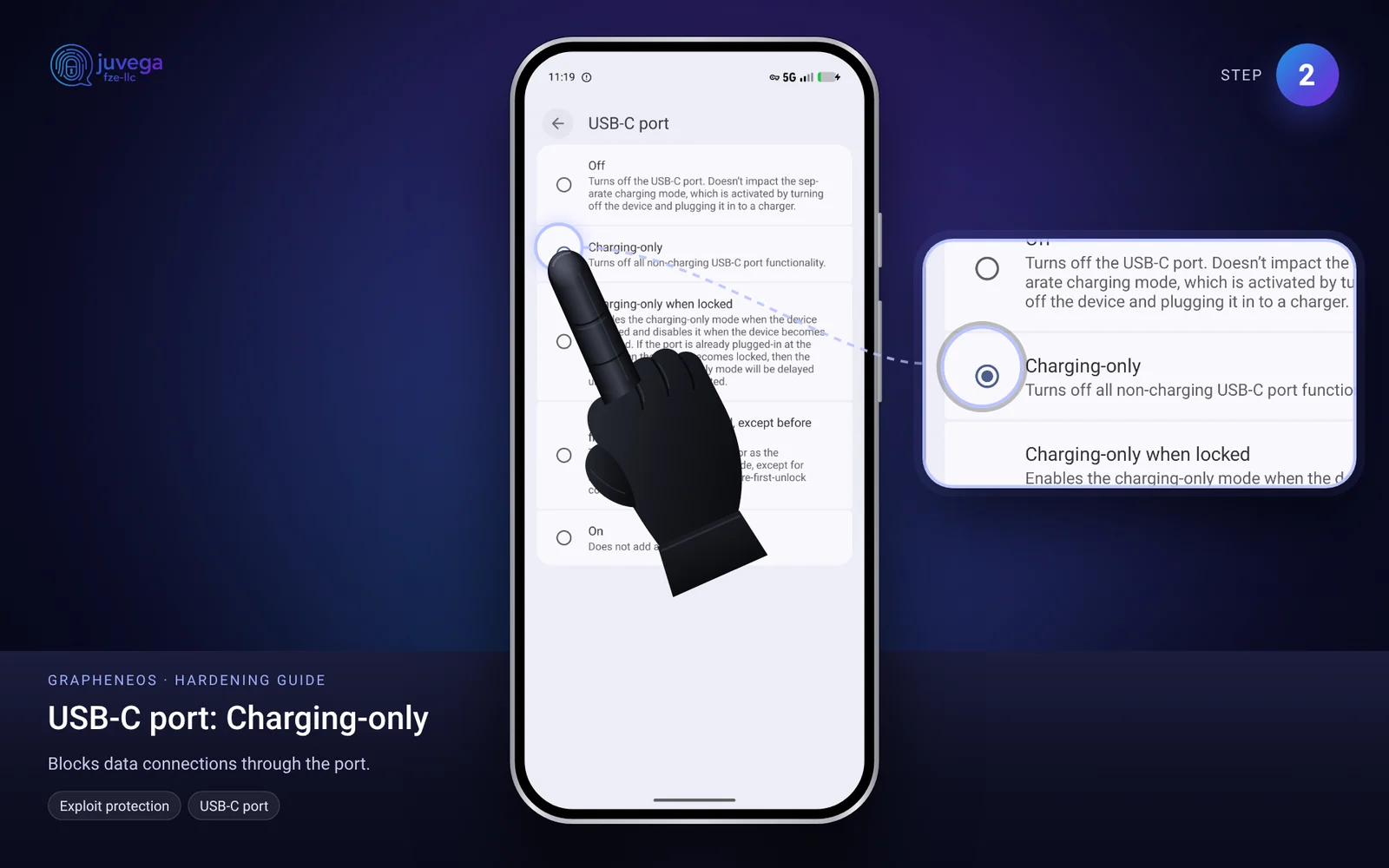
- USB-C port. Open Settings > Security and privacy > Exploit protection > USB-C port and choose Charging-only (or Off). This stops someone plugging in a device to pull data out.
- Stop app installs. After you have finished installing apps, open Settings > System > Users, tap your profile name and set App installs and updates to Disabled.
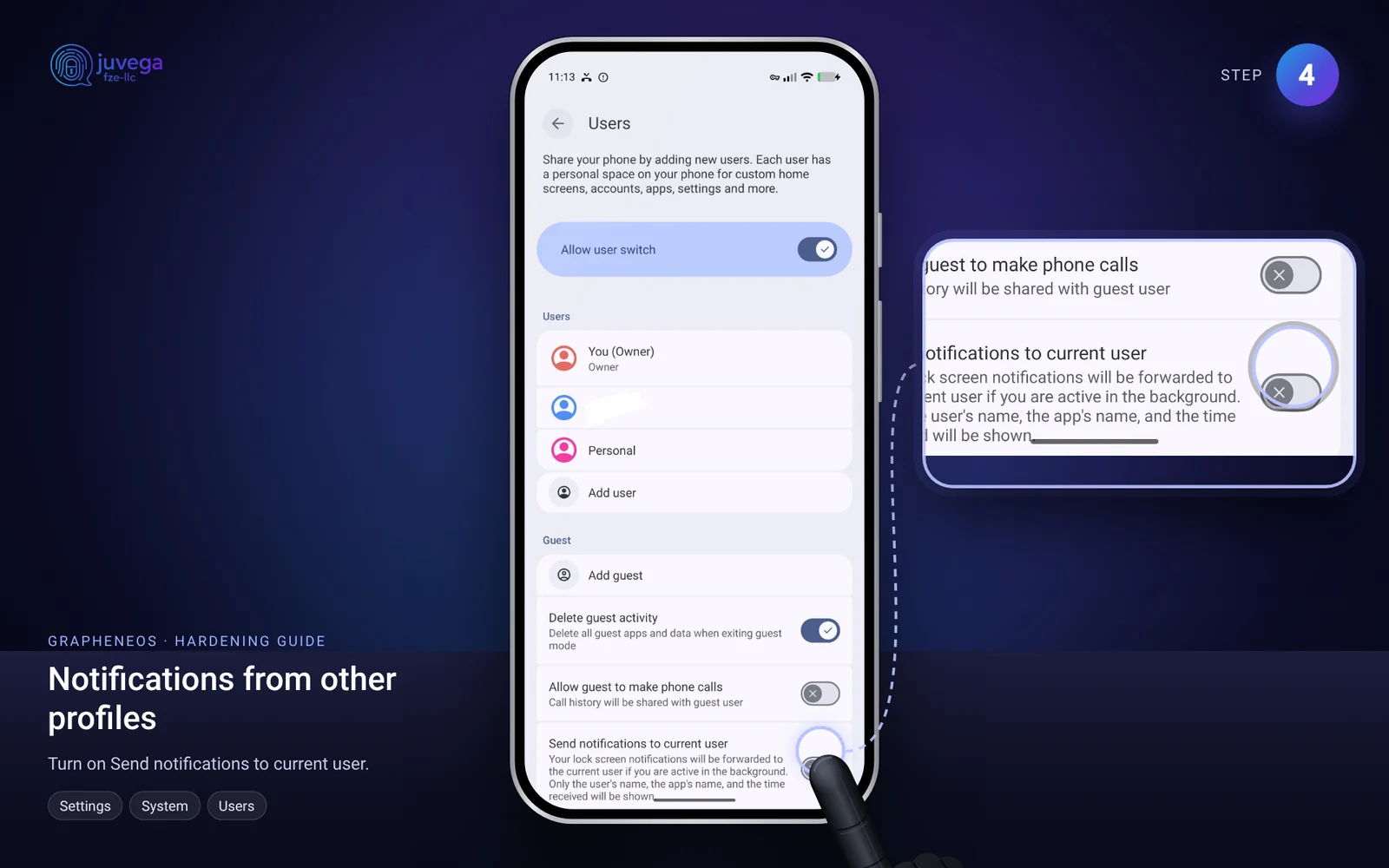
- Notifications. In Settings > System > Users, turn on Send notifications to current user.
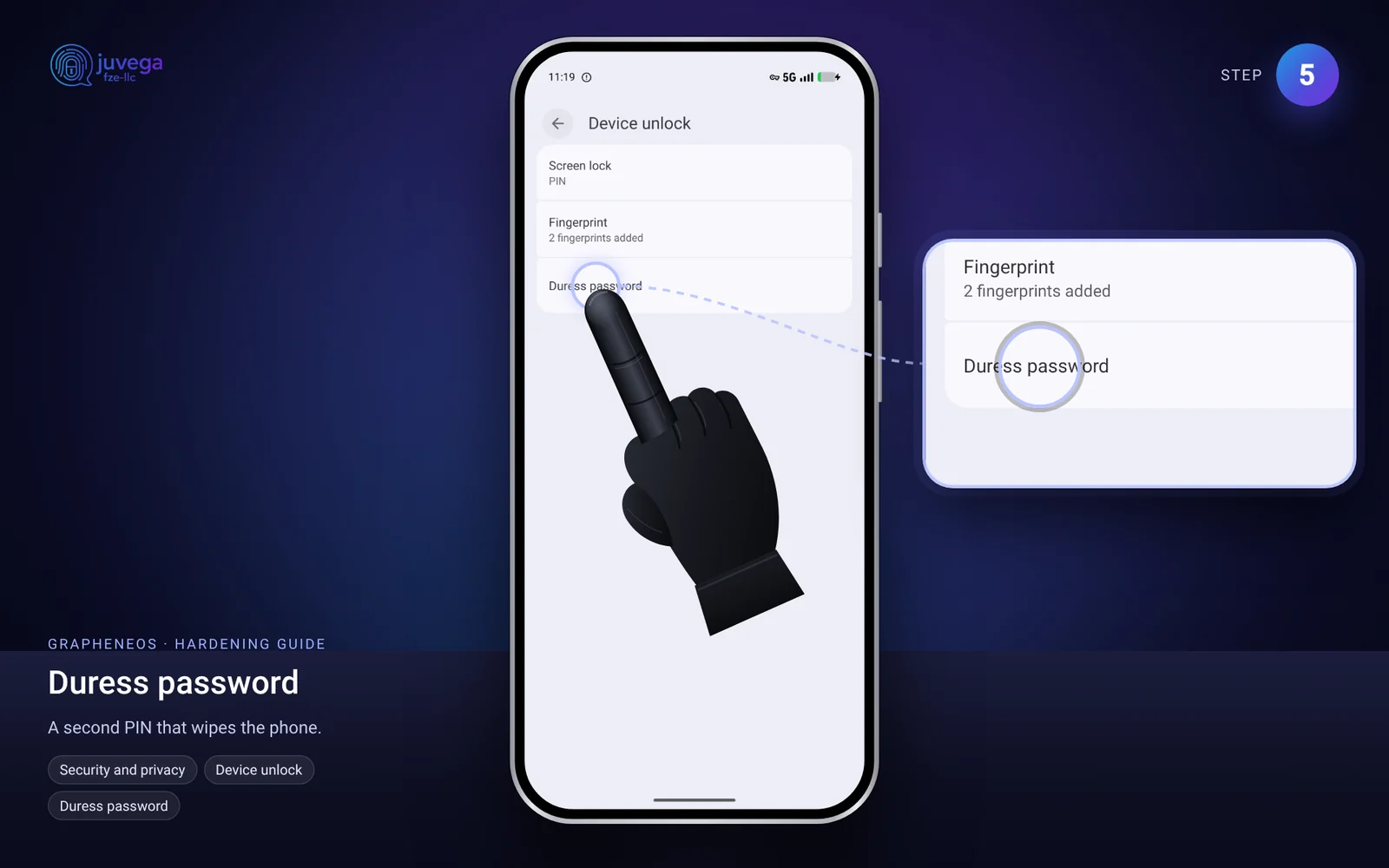
- Duress password. Open Settings > Security and privacy > Device unlock > Duress password and set one. If you are ever forced to unlock the phone, typing this password wipes it. Choose it carefully and do not forget it.
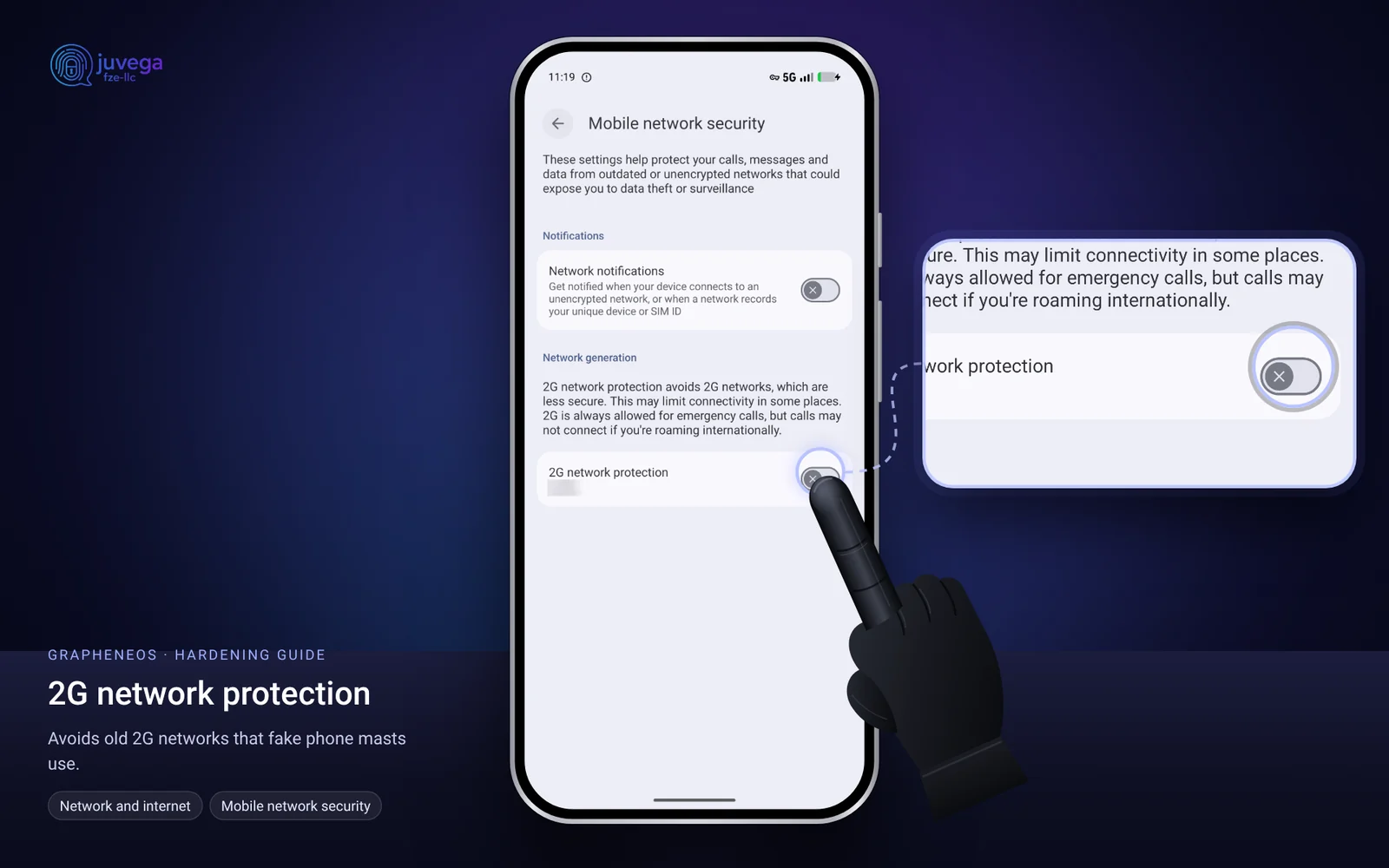
2G protection. Open Settings > Network and internet > Mobile network security and turn on 2G network protection. Old 2G networks have weak encryption and are used by fake phone masts (IMSI catchers). Emergency calls still work.
In every profile
- Keep the global switches for Bluetooth, location, camera and microphone turned off unless you need them.
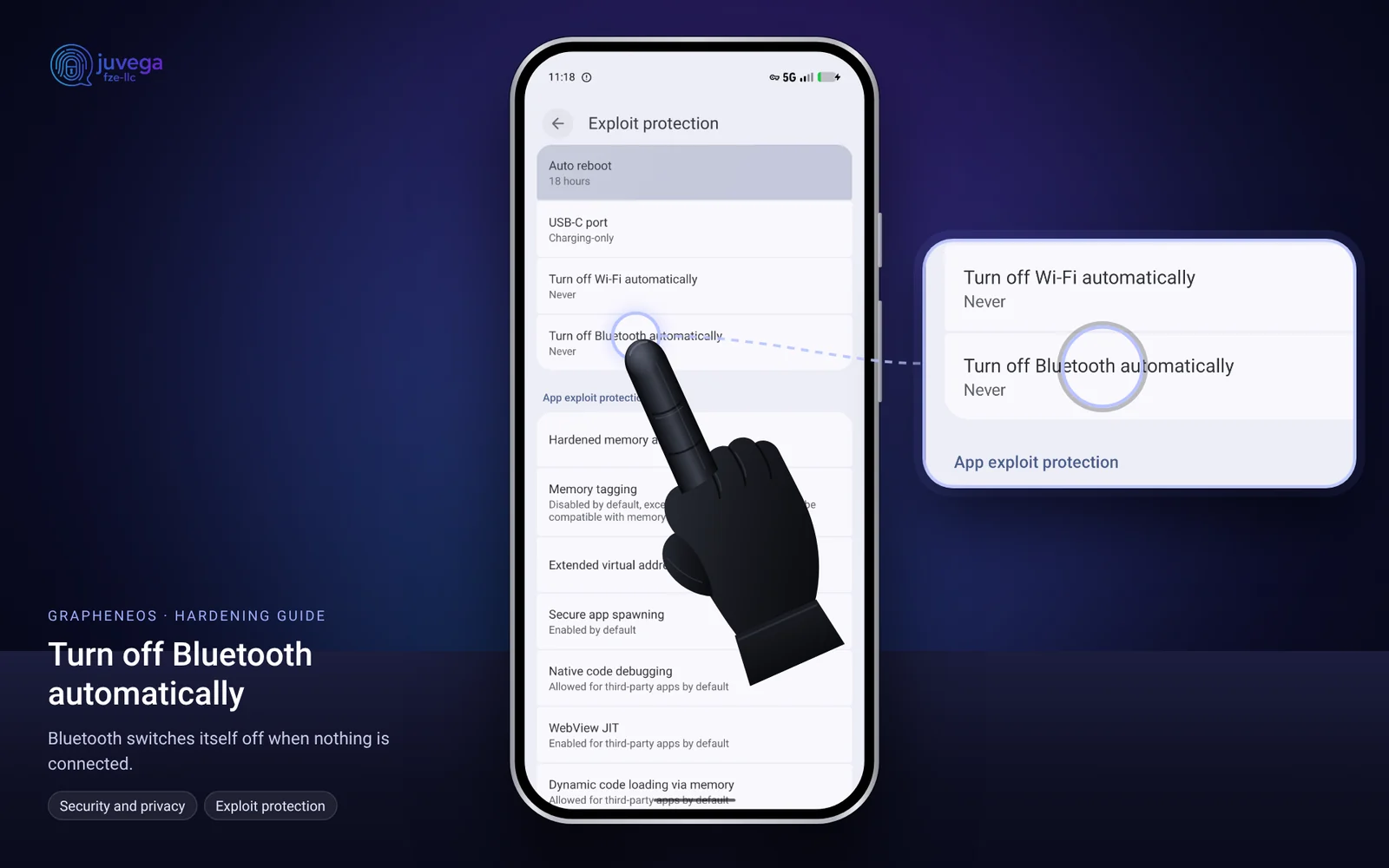
- Open Settings > Security and privacy > Exploit protection and set Turn off Bluetooth automatically (and Turn off Wi-Fi automatically) to a short time.
- In your messaging app, open Settings > Advanced and turn off Auto-retrieve of media.
- Share files using the Files app, rather than giving an app access to all your photos.
- When an app asks for photos or contacts, use Storage Scopes or Contact Scopes so it only sees the few items you choose.
Daily habit
Turn the phone off at night, and whenever you leave it at home. A phone that is off is the safest phone.
If something looks wrong
If you think someone tampered with your phone, stop using it and ask a trusted help service for advice, such as Access Now's Digital Security Helpline. Do not send them personal information in the first message.
This guide is based on the public AnarSec guide "GrapheneOS for Anarchists" (anarsec.guide), rewritten in plain language. Their guide is written for people at high risk, so some advice is stricter than most people need. Use what fits your situation.
Comments
Loading comments…