
How to stay safe on public Wi-Fi
Cafes, airports and hotels offer free Wi-Fi, but you do not know who runs it. Simple rules to protect yourself.
Public Wi-Fi is a network run by someone you do not know. The owner, or anyone who has hacked the router, may be able to see which websites you visit and may try to trick you.
What can go wrong
- Snooping: the network owner can see which sites and services you connect to.
- Fake hotspots (evil twin): a criminal creates a network called "Airport_Free_WiFi" and waits for you to join.
- Fake login pages: a "sign in to continue" page that collects your details.
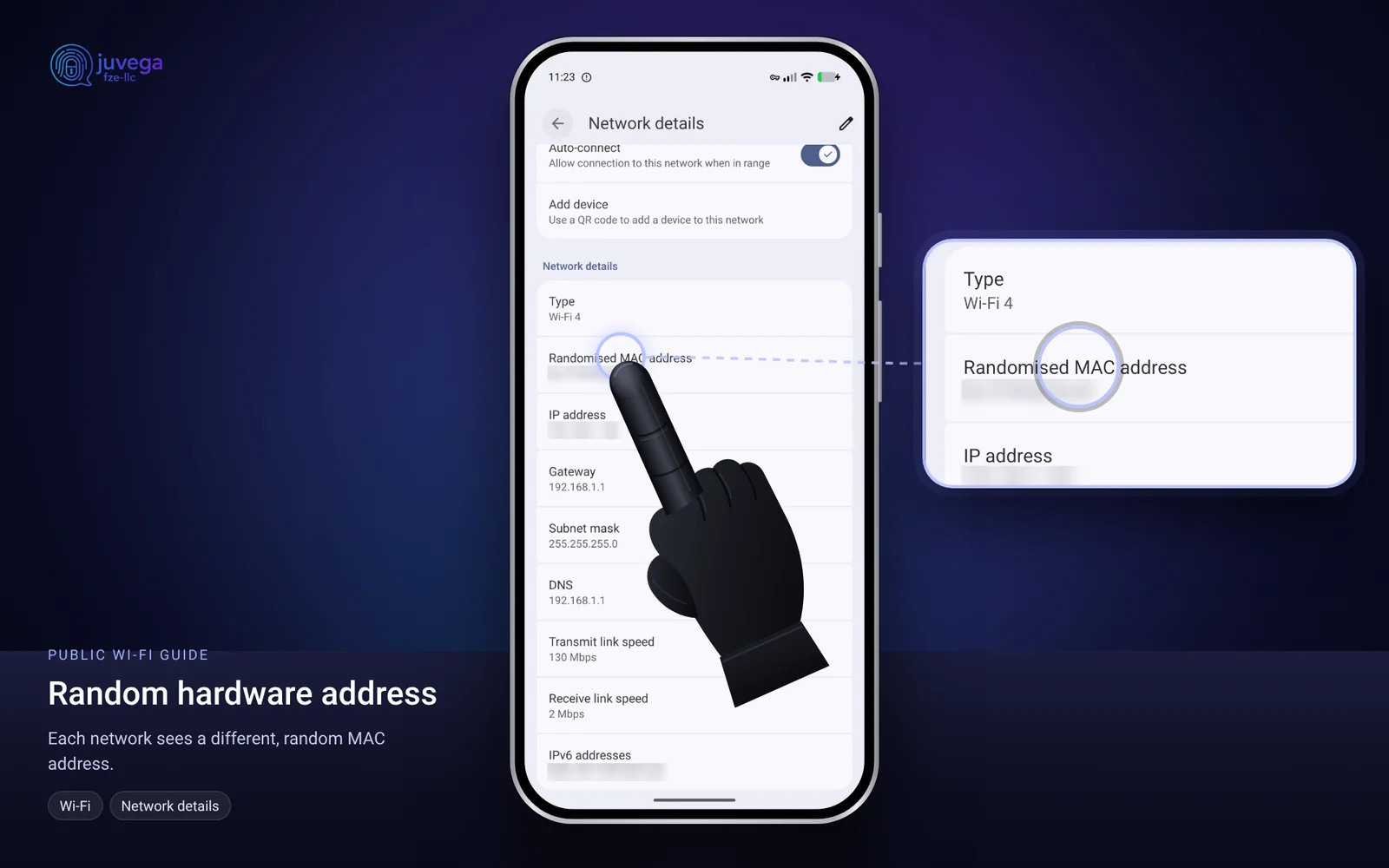
- Tracking: your phone's Wi-Fi address can be recognised from place to place.
Safe steps
- Ask staff for the exact network name. Do not join similar-looking names.
- Turn on your VPN before you open any app. See how to use a VPN. Turn on "Always-on VPN" and "Block connections without VPN" so nothing leaks.
- Only use websites that show a padlock (https). Never ignore a certificate warning.
- Do not log in to banks or wallets on public Wi-Fi unless you have no choice and your VPN is on.
- Turn off sharing and Bluetooth when you do not need them.
- Turn Wi-Fi off when you leave. Your phone should not keep searching for networks.
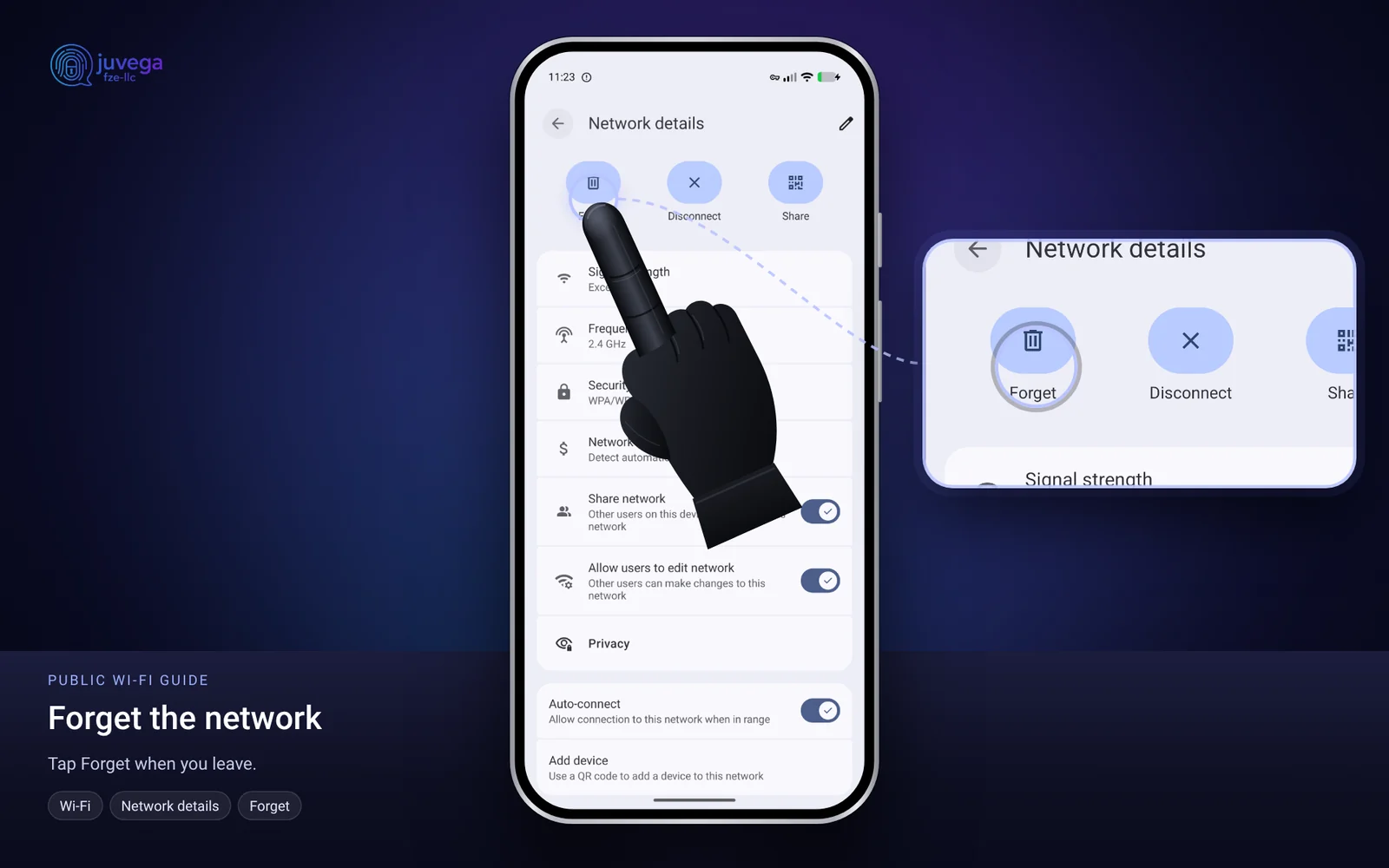
- Forget the network after you use it (Settings > Network and internet > Internet > the network > Forget).
Use random hardware addresses
On GrapheneOS, your phone uses a random Wi-Fi address for each network by default. Check it is still on: Settings > Network and internet > Internet > the network > Privacy. The network details show a Randomised MAC address.
A safer alternative
Use mobile data with a data eSIM instead. See how to install an eSIM. For the strongest setup, carry your own VPN router, explained in why use a VPN router.
Captive portals
Many hotels ask you to sign in on a web page. Use a throw-away name and email. Never give a real passport or ID number on a Wi-Fi sign-in page.
Quick checklist
- Check the network name with staff.
- VPN on first.
- Padlock on every site.
- No banking.
- Forget the network afterwards.
Comments
Loading comments…