
How to use a VPN on GrapheneOS
Send all of your phone's internet traffic through a VPN, with an always-on setting and a kill switch.
A VPN hides which websites you visit from your Wi-Fi network and your internet provider. It sends your internet traffic through another company's server instead. The website sees the VPN's address, not yours.
A VPN does not make you anonymous. The VPN company can still see your traffic, so choose one you trust and that does not keep records.
Two ways to use a VPN
- On your router at home (best). All devices in your home are protected. If you do this, do not also run a VPN on the phone at home, or the two will clash.
- On the phone, when you are away from home. This is what the steps below cover.
Which VPN?
The AnarSec guide recommends Mullvad and IVPN. You can buy their access with a voucher code instead of an account, which keeps your payment details out of it. Buy a Mullvad voucher here. RiseupVPN is a cheaper option with fewer users and fewer security checks.
Step 1: Install the VPN app in every profile
- Install the VPN app in your Owner profile. See how to install apps.
- Share it to your other profiles (Default, Google, and so on).
- Open the app in each profile and sign in.
Step 2: Check the safety switches
GrapheneOS turns these on for you, but please check them:
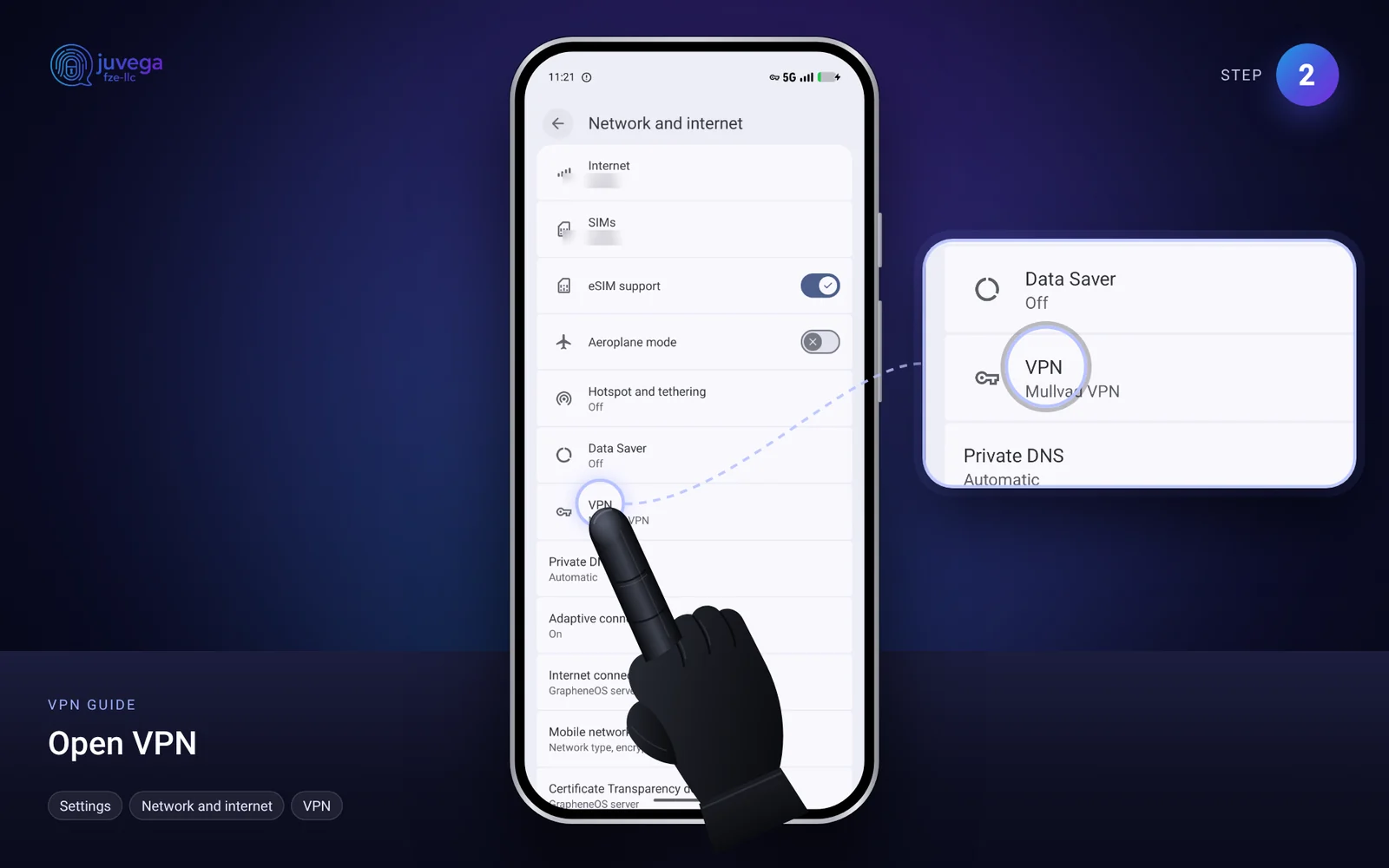
- Open Settings > Network and internet > VPN.
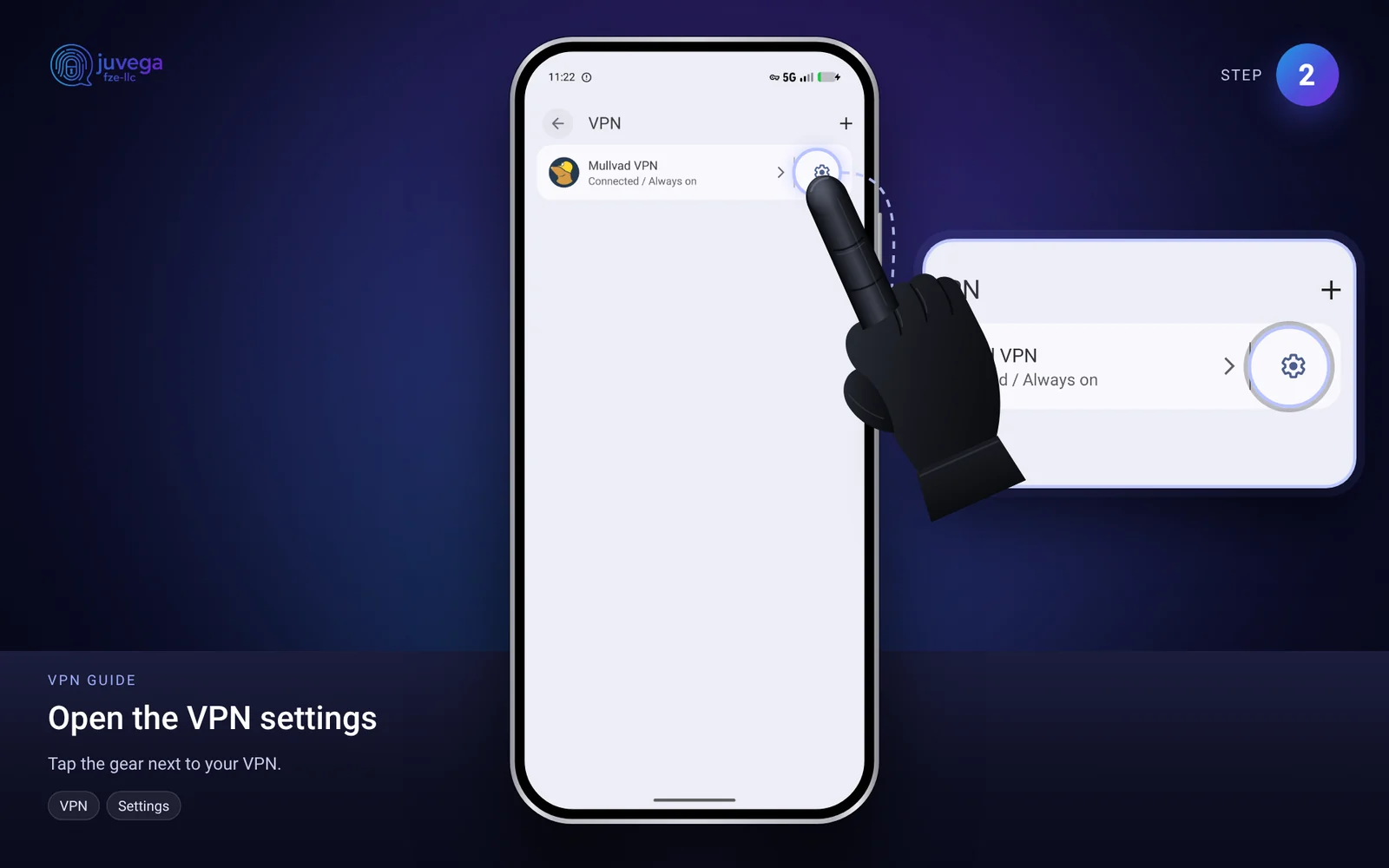
- Tap the settings (gear) next to your VPN.
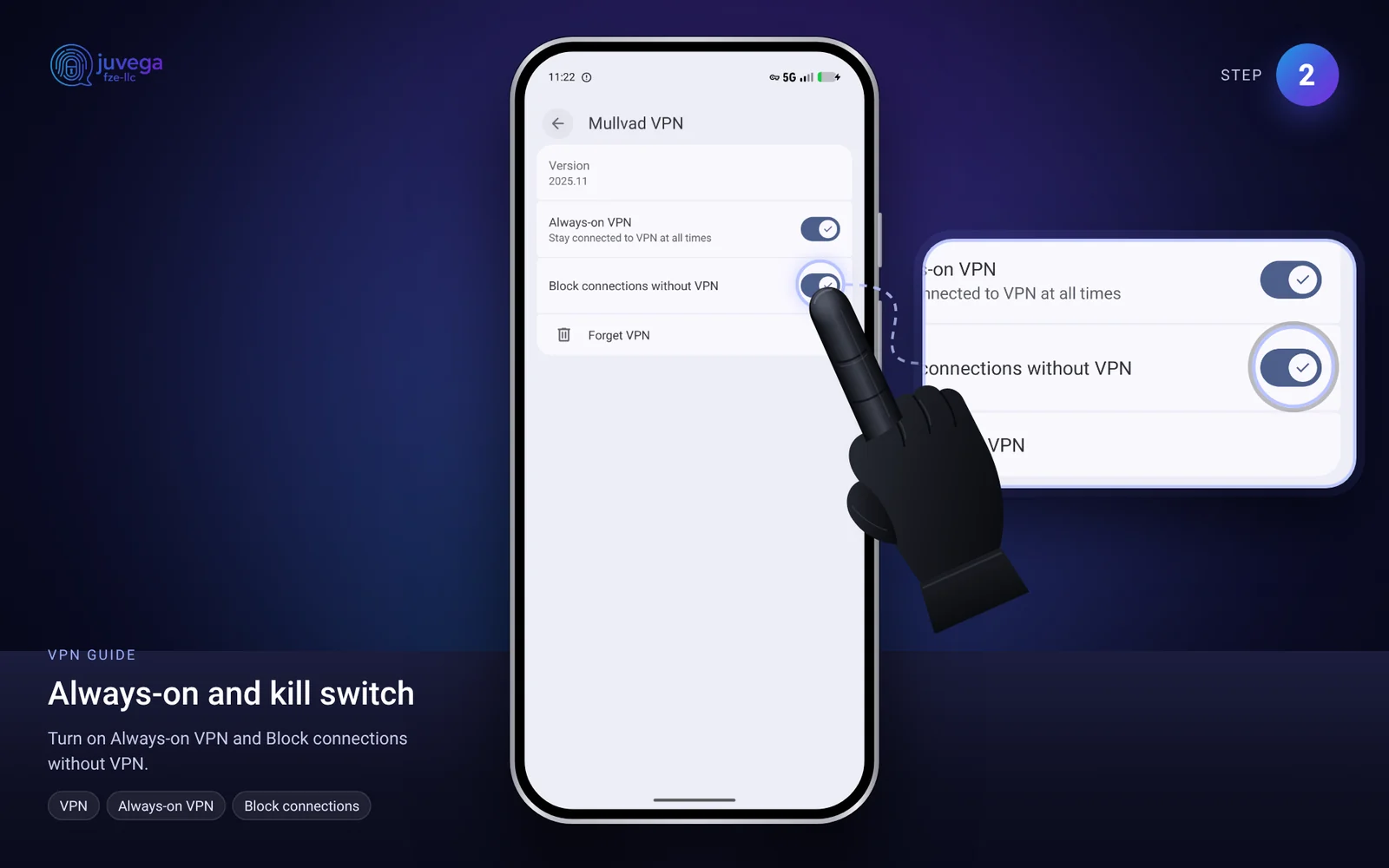
- Make sure Always-on VPN is on.
- Make sure Block connections without VPN is on. This is the "kill switch". If the VPN drops, nothing goes to the internet.
Home Wi-Fi with a VPN router
If your home Wi-Fi already uses a VPN kill switch, switch off the phone's VPN before you connect to it.
Troubleshooting
- No internet after turning the VPN on: open the VPN app and connect, or choose a different server.
- An app does not work: make sure the VPN is on in the profile that app is in.
This guide is based on the public AnarSec guide "GrapheneOS for Anarchists" (anarsec.guide), rewritten in plain language. Their guide is written for people at high risk, so some advice is stricter than most people need. Use what fits your situation.
Comments
Loading comments…