
How deleting really works, and how "deleted" data is recovered
Why pressing Delete does not erase things, and how deleted messages can still be found on a phone or computer.
Most people believe that when they delete a photo, a file or a message, it is gone. Usually it is not. This guide explains why in plain words, and what really works.
What happens when you press Delete
Think of a library. The computer keeps an index listing where every book (file) is on the shelves.
- When you press Delete, the computer only crosses the book off the index.
- The book is still on the shelf, until something else is put in that space.
- That can take weeks, months or years.
Special programs can read the shelves directly, ignoring the index, and find the "deleted" books. The Electronic Frontier Foundation (EFF) says normal deletion does not erase the contents, and that undelete software or forensic methods can sometimes recover it.
"But my messages are encrypted!"
Encryption protects a message while it travels, and while it is stored on the phone in an encrypted form. But to read a message, your phone has to turn it into normal text, and some of that text can end up in other places on the phone.
A real example: in 2026, court testimony in a US trial described how investigators recovered deleted Signal messages from an iPhone, even though the Signal app had been deleted. They did not break Signal's encryption. The text of incoming messages had been saved in the iPhone's own notification storage, because message previews were switched on. Only incoming messages were found. This was reported by several news sites, based on testimony in the trial.
Who can do this?
Companies sell forensic tools that copy and examine the data on a phone or computer that has been seized or unlocked. Cellebrite is one well-known company in this field. These tools can dig into the places where phones and apps keep leftover data. What they can reach depends on the phone, how recent its software is, and whether the phone was locked or unlocked.
Where leftover data hides
- Notification history. If previews are on, message text can be saved.
- App databases. A deleted message is often only marked as deleted inside the app's database until that space is reused.
- Free space on the storage, where deleted files sit.
- Backups and cloud copies of the phone or the app.
- Screenshots, photos and downloads from the same conversation.
- Recent files, thumbnails and history on a computer.
What actually protects you
- Switch off message previews. In your messaging app, set notifications to show no content (or only the name). Turn off message previews on the lock screen.
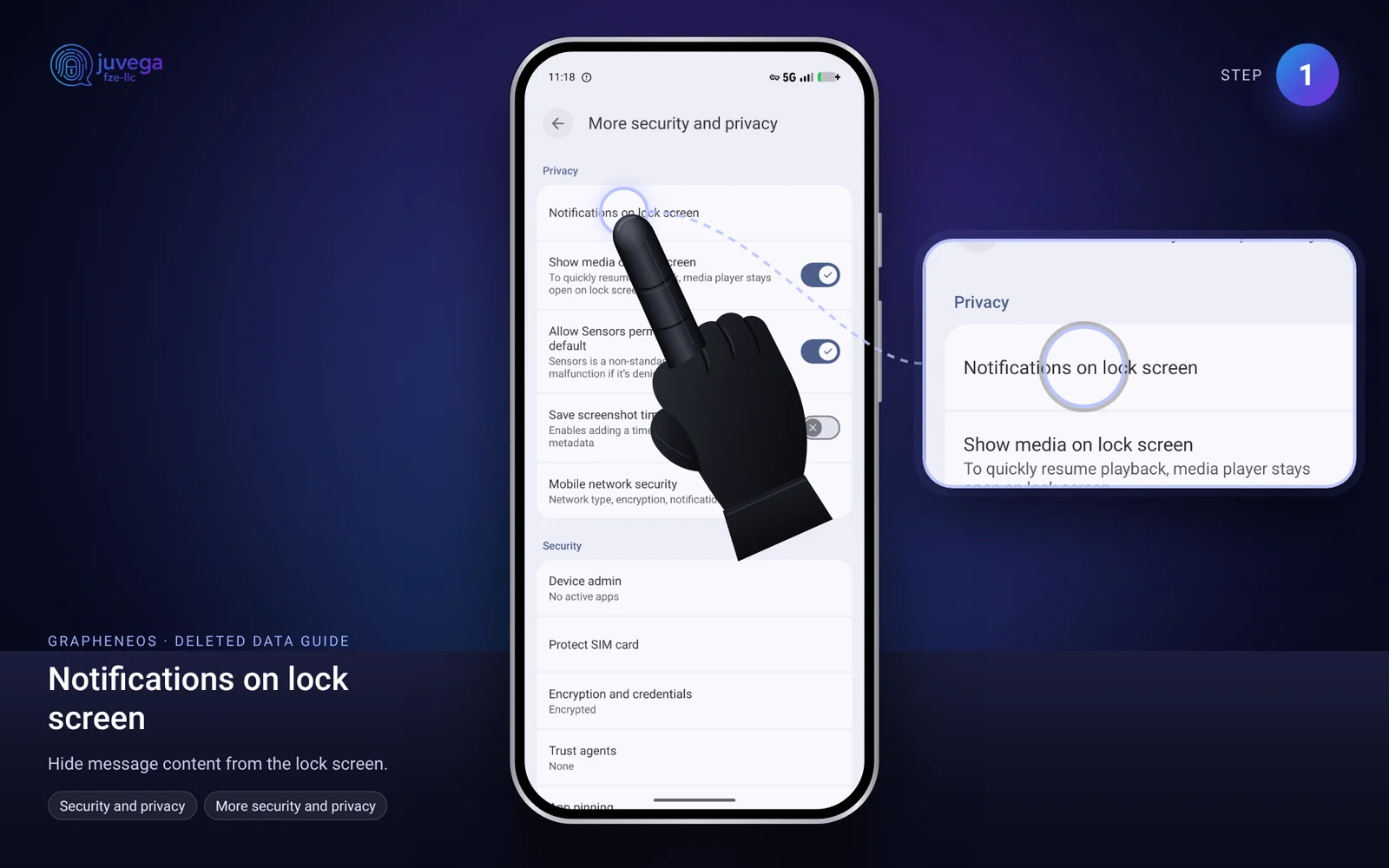
- Use a strong password and encryption. A locked, encrypted phone protects its data far better than an unlocked one. See How to harden your settings.
- Use disappearing messages, but remember they do not erase every trace on their own.
- Delete from backups too. Copies in the cloud, on flash drives and in emails must each be deleted.
- Encrypt the whole drive from the start. The EFF calls this the best way to protect stored data. Encrypted data looks like random noise without the key. When you throw the device away, destroying the key makes the data unreadable.
- Shred files you need to erase on a computer. See how to shred files.
Honest limits
- Solid-state drives (SSDs), USB sticks and phones use "wear levelling", which moves data around. Overwriting a file may not touch the original copy. Secure deletion is very hard on them. Encryption from day one is the reliable answer.
- Nothing can erase a copy that someone else already has, such as the person you messaged.
- If you are worried about being targeted, treat your phone as something that may be examined, and choose what you keep on it accordingly.
Comments
Loading comments…